One PowerPoint Recommended
Just this one slide
$2.99one-time
- See a watermarked PowerPoint preview before you pay (free with Google sign-in)
- Pay only if you keep it
- One image at a time
- No monthly plan needed for one slide
Screenshots, charts, diagrams and PDF pages become slides you can edit: real text and shapes.
or drop images or a PDF ·
Opens in PowerPoint, Keynote & Google Slides · No charge if it fails
Uploads are deleted after 30 days and never used to train our models
Real edits, real time, no speed-up. Unraster: native shapes and text you can recolour. The other converter we tested: the bar is a picture piece with no Fill in its toolbar.
The watermark on Unraster’s side is the free preview; a paid download has none. The other editor is the other converter’s own web editor. Same image, each side operated for real.
The same chart, in the real editors. In Unraster, select a bar, set a fill colour and drag it with its label. In the other converter we tested, the bar is a picture piece with no fill colour.
 Original image
The bars are ink on one flat picture.
 Click the bar
The bar and its 1,450 label select together.
 Set Fill, drag
The pair recolours in one go; drag it and the label follows.
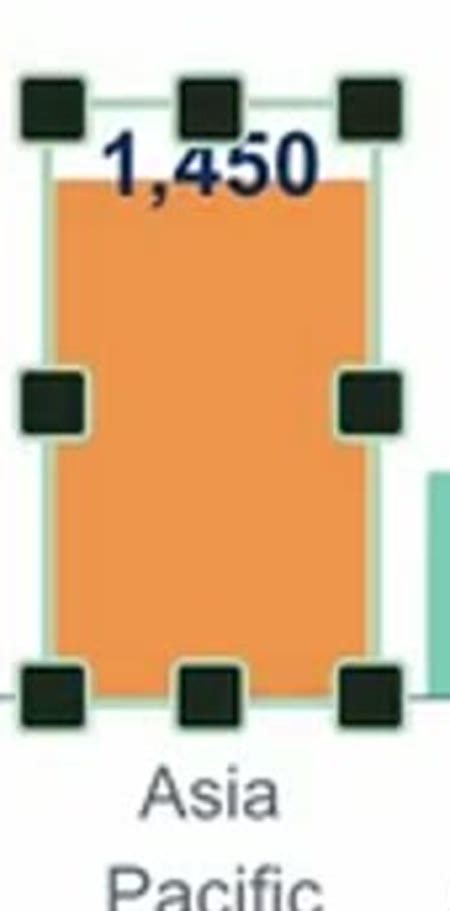
Real selection handles, not a mock-up.
 Same chart, picture piece
In the other converter we tested the bar comes out as a cut-out picture: its toolbar has no Fill, and the 1,450 label is part of the image.
Text and every icon or shape come out as native vector objects. Change the wording, drag a whole icon, recolour it in one click, zoom in without blur. These are shapes, not cut-out picture pieces.
Screen-captured edits of shapes in an exported PowerPoint. Results vary with the source image.
Three sample images, each converted on its own and bundled into one .pptx here. Pick one to compare the original with its slide: the labels are native text boxes and the shapes are separate objects.
Preview rendered from the downloadable PPTX. Outlines show native PowerPoint objects.
Upload an image, check the free preview, unlock it, download the .pptx.
Choose, drop or paste a PNG, JPG or WebP up to 20 MB. One image becomes one slide.
Click “Make editable PowerPoint”. You get a watermarked copy of the real file that you can retype and move in the page before paying.
When the preview looks right, unlock the file. The button shows the price before you start. You are charged only after the file is delivered, and a failed conversion is not charged.
Download the .pptx. Downloads are free once the file is unlocked, and your edits are kept.
Retype text, move shapes and set your brand font. Give small lettering a quick look before you present.
Free watermarked preview with Google sign-in · failed conversions are never charged.
Just this one slide
$2.99one-time
Pay once, use any time · no subscription
$9.90one-time
Regular decks, every month
$19.90/ month
Billed monthly
Pay $2.99 once, no subscription. See the watermarked preview free with Google sign-in before you pay.
$2.99 per image, no monthly plan needed. Preview the editable result first, move text and shapes, and pay $2.99 only if you keep it. If a conversion fails, you are not charged.
Prices in USD. Optional AI Clean-up is 1 credit. Cancel or change plans anytime in Credits & billing.
Secure checkout by Stripe
Anything else? Email us.
The converter rebuilds text as native text boxes and shapes as PowerPoint objects, instead of placing your image on the slide. Very small lettering, tiny markings and textures can stay as shapes, so give the slide a quick look before you present.
Unraster does that conversion: it reads the text and shapes already in your image and rebuilds them as PowerPoint text boxes and shapes. It does not invent a new slide, rewrite your wording or redesign the layout, so check spelling and small details before you share the file.
Insert > Pictures places your image on the slide as one flat object. Here the image is rebuilt as separate text boxes and shapes, so changing a word does not mean covering up a picture.
The page shows a watermarked PowerPoint preview; the preview is not charged (up to 3 a day). Unlocking a single-image file is $2.99 or 2 credits. A PDF deck is 2 credits per delivered page; a deck of several images is 2 with a subscription, 3 without. Only delivered files are charged, and a failed conversion is not charged.
Yes, on the website. Up to 30 images with a subscription (10 without) become one .pptx with a slide per image, or a .zip with one .pptx per image. One PDF of up to 30 pages also becomes one deck. A multi-page deck has no free preview. A PDF costs 2 credits per delivered page; several images cost 2 credits a page with a subscription, or 3 without one.
Usually poorly. Phone photos of paper or a screen, with glare, curved pages, skew or textured backgrounds, come back worse than a screenshot or an exported PNG/JPG.
PNG, JPG or WebP up to 20 MB, or a PDF up to 30 pages. One image becomes one slide; several images or a PDF become one deck.
Close, not identical. Fonts are swapped for similar ones, so pick your brand font in one click with Replace Fonts in PowerPoint. Thin gridlines, small icons and tiny lettering can change, charts become shapes and text with no data table behind them (retype numbers directly), and arrows are shapes rather than connectors, so redraw one after moving a box. Check the slide in PowerPoint before sharing; we never promise a pixel-perfect copy.
The file is a standard .pptx, so it opens in PowerPoint and in other apps that read the format. How closely another app displays it depends on the app. No subscription is needed here to convert.
Choosing PowerPoint sends the image to our conversion service (and may pass it to third-party processing providers) to build the .pptx. Uploaded images and results are deleted 30 days after processing, sooner if you delete them, and are never made public. We do not use your files to train our own models. Basic SVG runs in your browser and is not uploaded. My files is kept in this browser only, not synced to an account.
Yes. Basic SVG is free and runs in your browser, so the image is not uploaded; Advanced SVG is 1 credit. Open the Image to SVG converter at /image-to-svg. Guests get one free Advanced conversion per device, then one more after signing in with Google; signing in with Google directly gives two.
Usually not. SVG text is commonly traced into paths, so it scales like a drawing but cannot be retyped as text. If you need editable wording, use PowerPoint; an SVG download does not automatically contain native text.
Or drop images or a PDF anywhere on this page.